 SiteLogs
中
Add to Chrome
SiteLogs
中
Add to Chrome
SiteLogs
中
Add to Chrome
SiteLogs
中
Add to Chrome
100% local · Chrome extension
A Chrome extension that quietly records how long you actually spend on each site — on your own machine. Replaces your new tab with a personal dashboard, organizes your tabs in one click, and never sends a byte anywhere.
✓ 7-day free trial ✓ No credit card ✓ One-time $15 lifetime
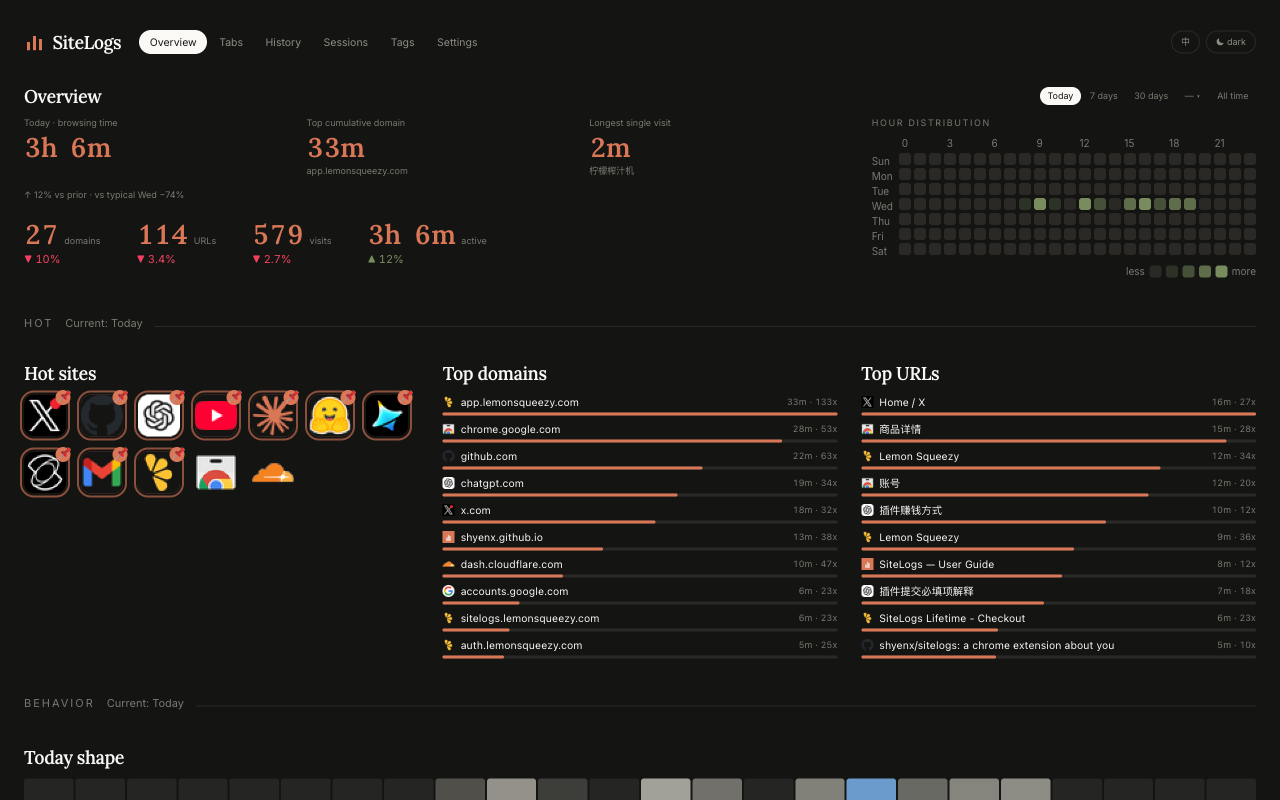
Your day at a glance — top sites, focus blocks, hour-of-day heatmap.
The problem
Chrome's built-in History tells you the URL list. It doesn't answer the questions you actually have.
Counting URLs in History is meaningless — you can't tell 30s glances from 30-min reading sessions. So you guess, and the guess feels off.
Attention-switching costs are invisible. Without focus-block data, you'll never see that 14 context switches an hour are eating you alive.
That bookmark you starred 6 months ago? You haven't opened it. The site you swore you'd "look at later"? Same. Without numbers, the story you tell yourself doesn't match reality.
The fix
Active milliseconds per visit, per URL, per domain, per category. Idle ≥ 60s pauses tracking — you see real focus time.
Visit data lives in your browser's IndexedDB — locally, on this machine. No telemetry. No analytics. No external server.
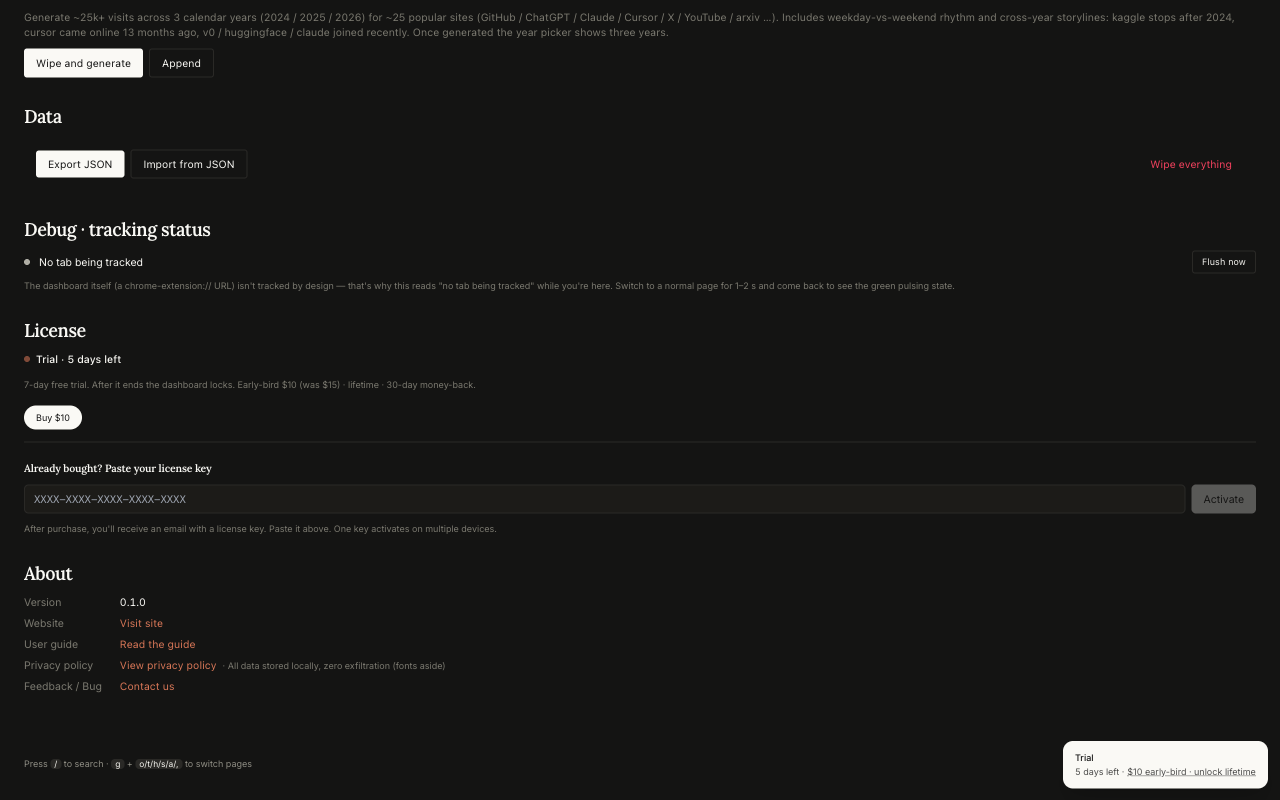
One-click JSON export. One-click wipe. Custom rules to override categories. The dashboard is yours, the data is yours.
Why we built it
Each browsing action you take might feel insignificant. But these moments shouldn't be forgotten. Every record is an anchor we drop in the river of time — lamps along the path you walked.
Who it's for
Switching between 5 SaaS dashboards all day. Was that "work" or admin? SiteLogs splits Tools from Leisure so you see the real creative hours.
Read the indie story →GitHub, Notion, Slack, Linear, Jira. Focus blocks (≥ 10 min continuous) surface where you actually shipped vs where you just replied to pings.
Read the knowledge-worker story →Felt productive? The 24×7 heatmap and category trends will tell you in numbers what the diary won't admit.
Read the student story →What it does
Forget pivot tables. The Overview opens with one English line: "Online 1h 14m today, ↑ 12% vs your average Tuesday. Longest focus: github.com 47m." Then you scroll for depth.
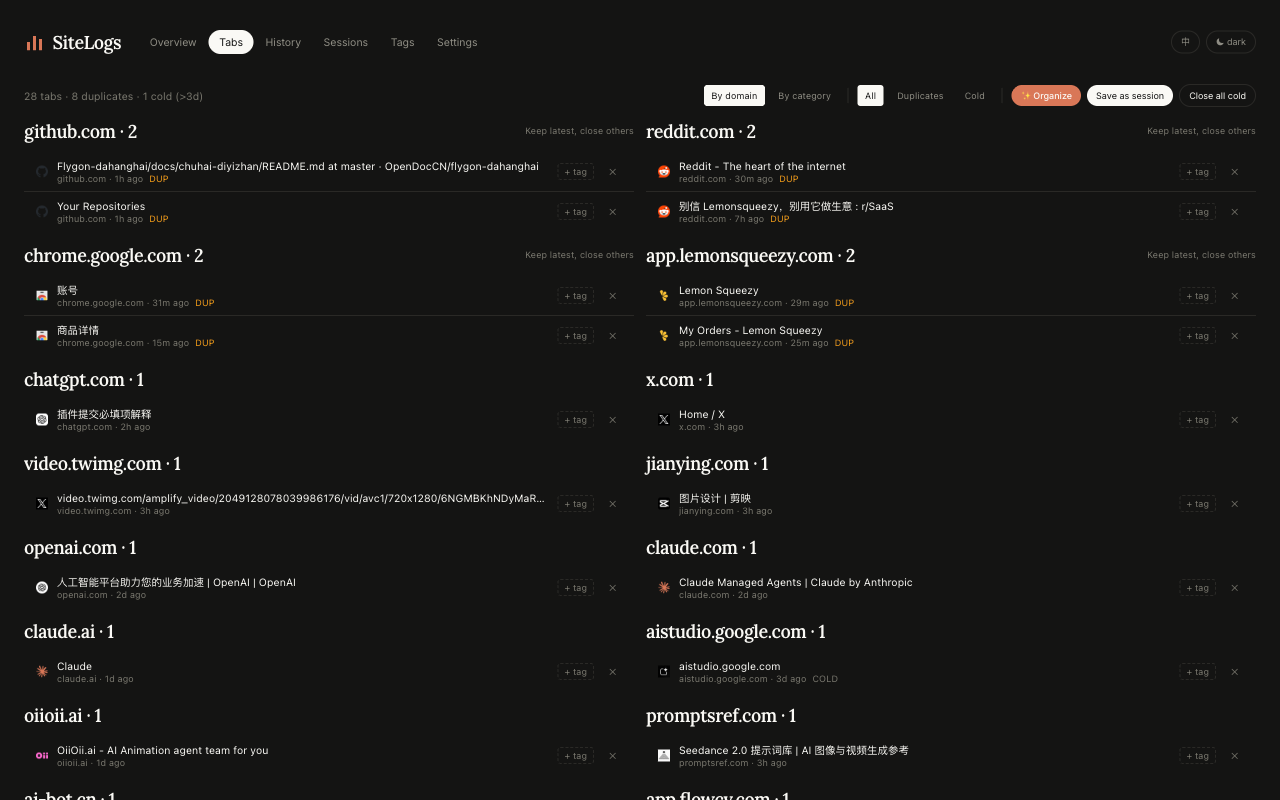
✨ Organize closes duplicate URLs, then groups remaining tabs by domain into Chrome's native colored tab groups. Pinned tabs stay put. Save the current window as a named Session, restore it later — your whole workspace, named and revivable.
mail.google.com → Google)AI · Tech · Social · Video · Docs · Shopping · Work — every visited domain gets a category from a built-in 200+ entry dictionary, fully overridable with your own domain or regex rules. Stacked area charts, weekly baselines, period-over-period comparisons.
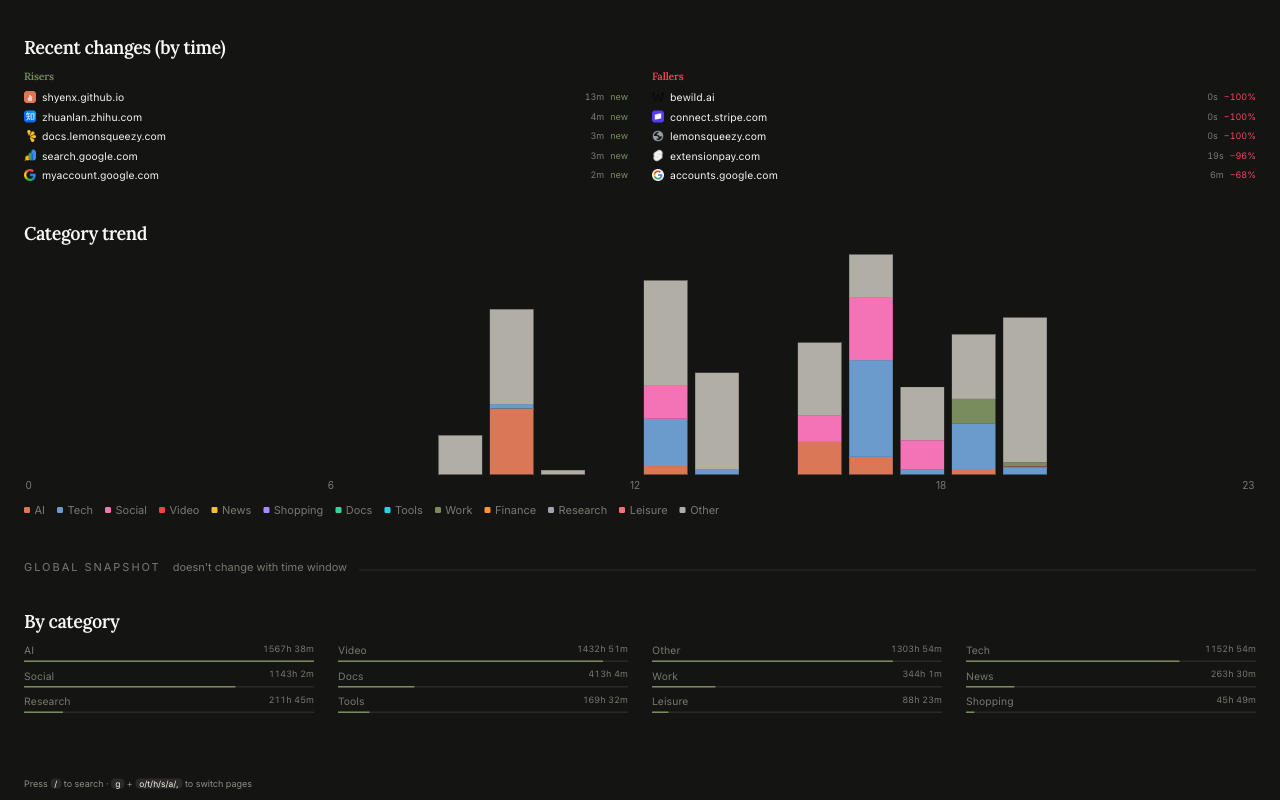
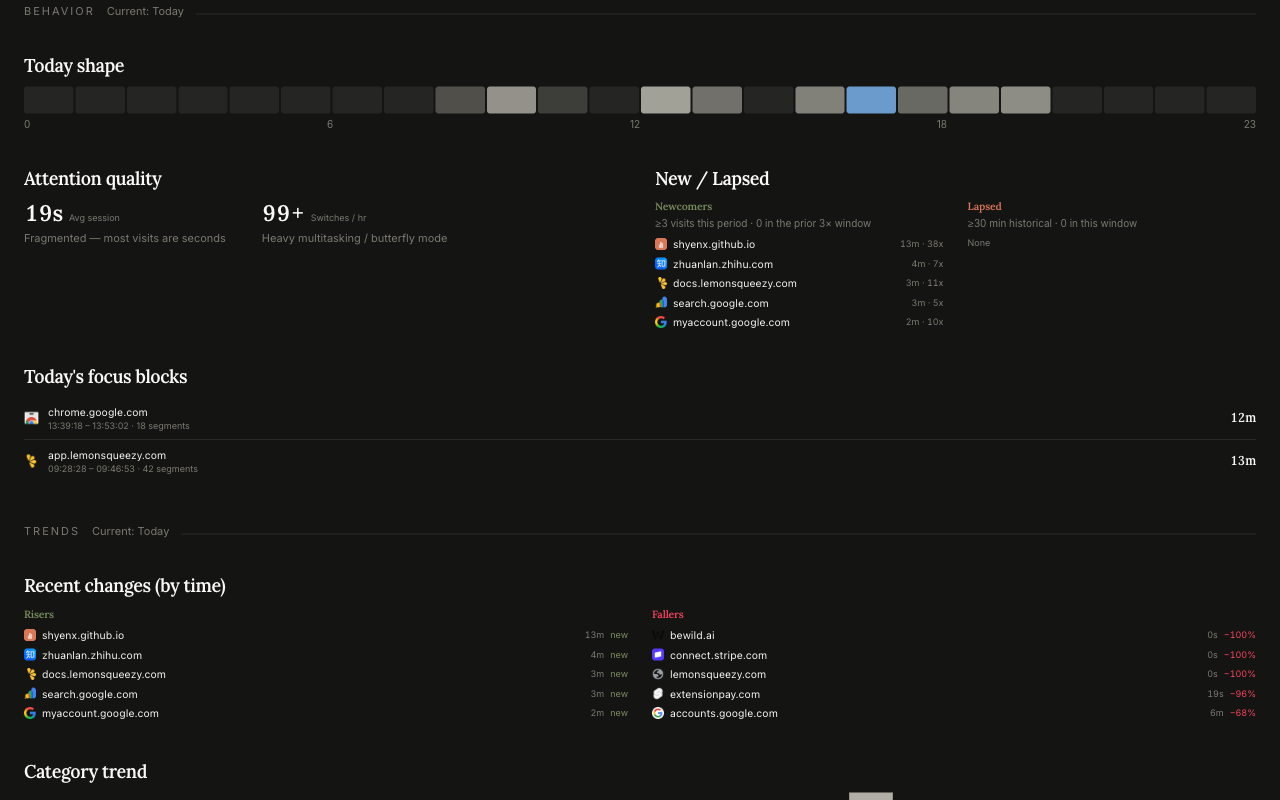
Focus blocks (≥ 10 min continuous reading) surface as "best work today". New domains in the last window highlight what you started. Lapsed domains highlight what you dropped. Attention quality scores the productive-vs-leisure split.
SiteLogs takes over the new tab page with a personal dashboard: today's stats, your pinned shortcuts, top domains, the heatmap. No Google search bar, no sponsored links, no doomscroll feed — just your numbers.
How SiteLogs differs
Most "web time tracker" extensions ship your browsing data to a server, lock the good features behind a subscription, and only do tracking — you'd need a second extension for tab management. SiteLogs is a different shape on every dimension.
Privacy by design
No third-party SDKs, no event pings, no "anonymous" usage tracking — none of that.
Visit records sit in your browser's IndexedDB. We have no copy. We can't see what you visit.
Google Fonts CSS (will self-host) and license activation when you pay. Nothing else, ever.
One click in Settings exports everything as JSON or wipes it clean. Uninstalling removes everything.
Pricing
Not satisfied? Email us within 30 days with your order ID — full refund, no questions asked. Refund policy.
7-day free trial — no credit card up front. Payments handled by our Merchant of Record (Paddle); SiteLogs never sees your card details.
Frequently asked
No. SiteLogs has no server. Visit data lives in your browser's IndexedDB on this device only. The only outbound calls are Google Fonts CSS (will self-host) and our license-key activation flow when you pay. See the full Privacy Policy.
No. $15 once, yours forever. Includes every current and future feature. The first 100 customers get early-bird $10.
Yes — up to 5 devices on a single license key. Free up a slot from Settings → License → Deactivate this device.
Yes — Settings → Data → Export JSON dumps everything; Wipe all data clears IndexedDB and chrome.storage. Uninstalling the extension also removes everything stored in your browser.
30-day no-questions-asked refund. Email us with your order ID and we'll process it the same day. Refund policy.
No — and on purpose. Your settings (rules, tags, pinned sites, budgets) sync via Chrome Sync if you have it on. Visit records stay on each device, so the maintainer never has access to them.
Ready?
Install in two clicks. Browse normally for a few minutes. Open a new tab. There's your day.
7-day free trial · no credit card · 30-day money-back
Light your first lamp.